Feature
Every agent has a name, a character, and clear boundaries.
Configure personalities, knowledge bases, and permissions from one settings panel.
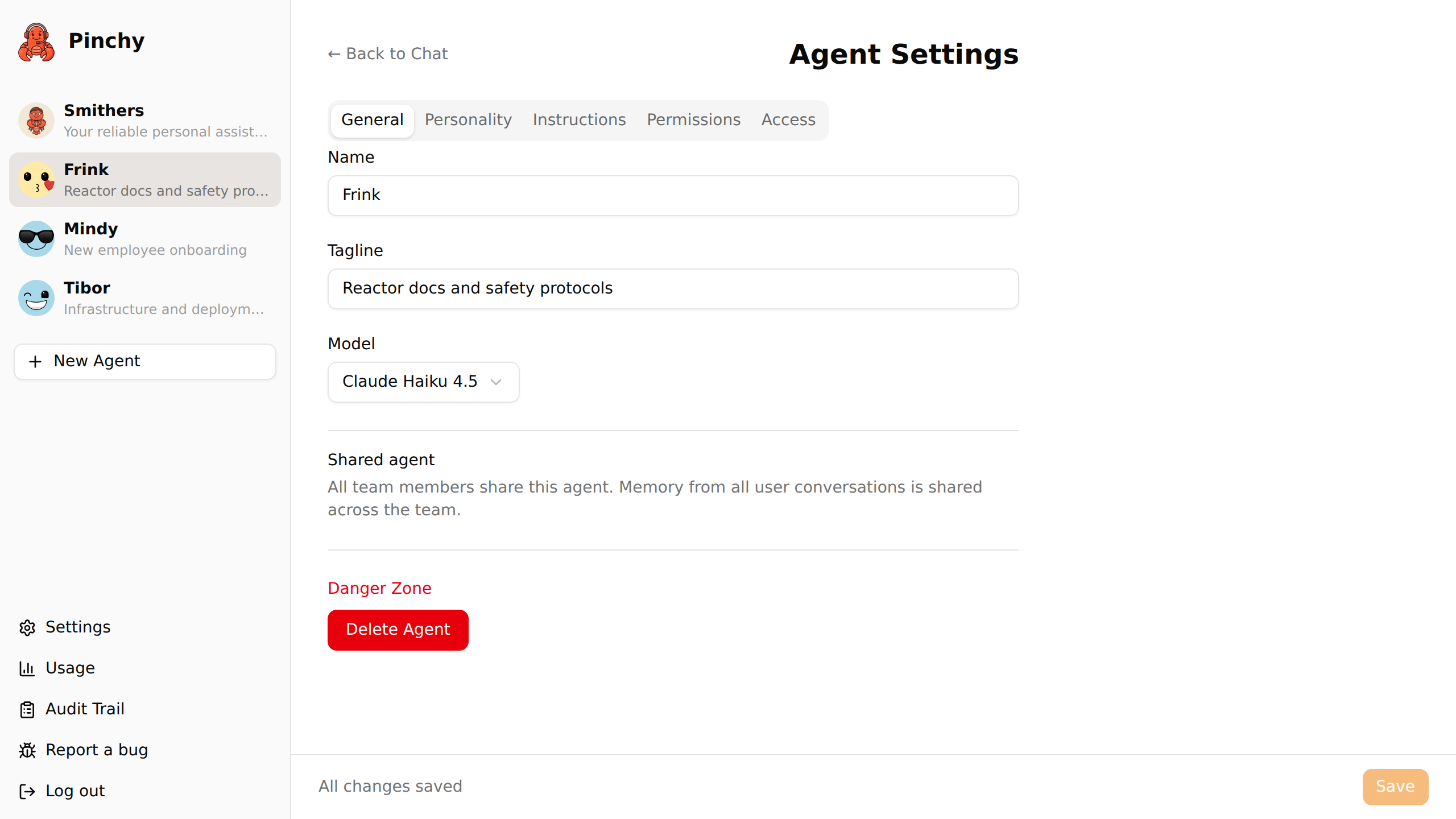
Every agent is configured through a single settings page. No config files, no CLI, no YAML. Click the gear icon and everything is right there.
Name, tagline, avatar, and AI model. Pick from any configured provider — Anthropic, OpenAI, Google, or Ollama. The model dropdown groups by provider so you always know what you're choosing.
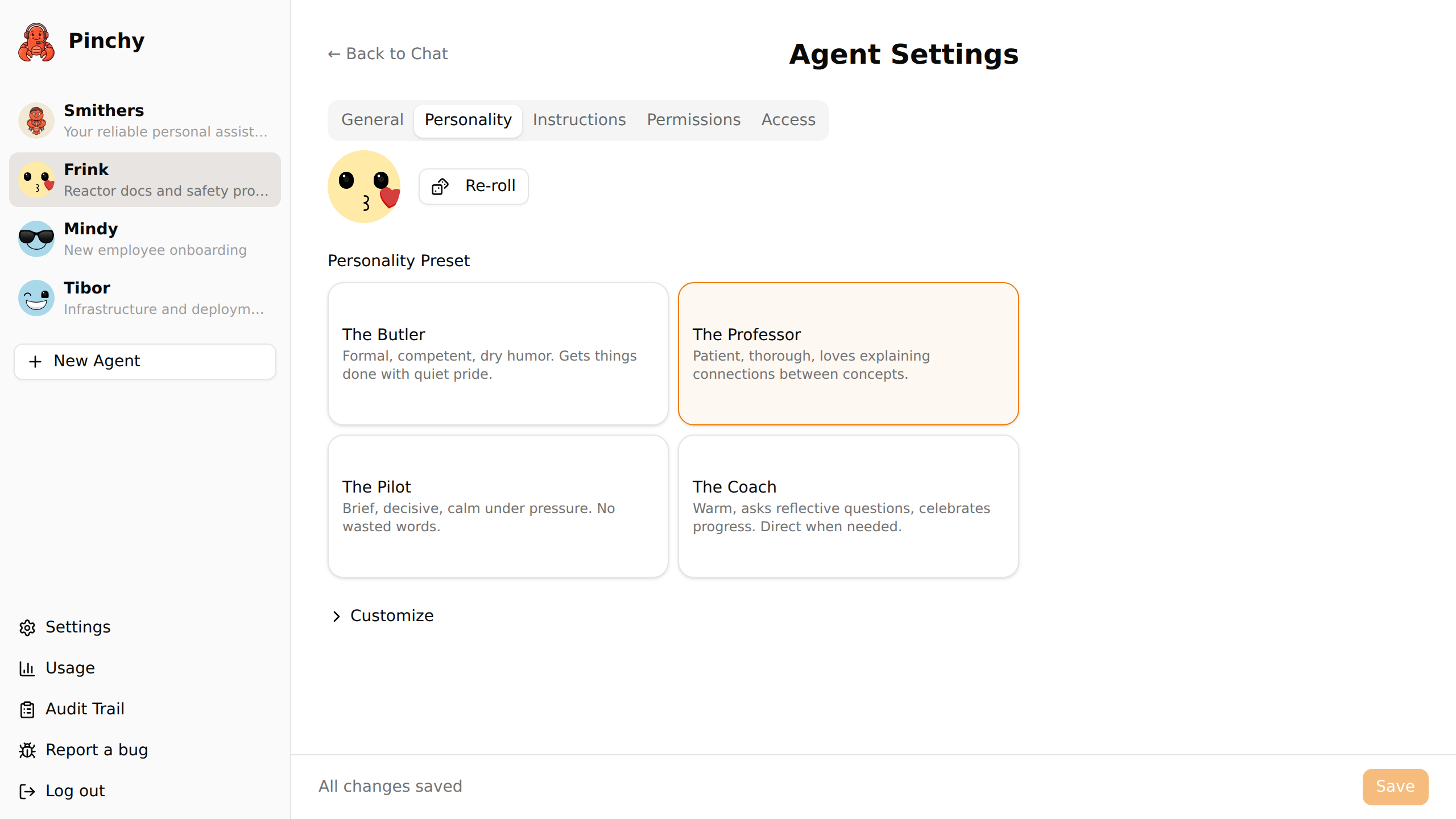
Choose a preset or write a custom SOUL.md. The personality defines how the agent speaks, what tone it uses, and what character it has. Smithers is dry and competent. Your HR agent can be warm and encouraging. Your DevOps agent can be terse and precise.
AGENTS.md defines the agent's operating instructions — what it should do, how it should approach tasks, what resources it has. Think of it as the job description.
Allow-list of tools the agent can use and directories it can access. Nothing is enabled by default. You grant exactly what's needed, nothing more. Learn more →
Who can talk to this agent? Set visibility to "All Users" or "Restricted" and pick the allowed groups. Maps agent access to your org structure. Learn more →
Team-level context (personal preferences, org structure, company conventions) lives in a separate Settings → Context page, not per agent.
Generic chatbots feel like tools. Named agents with consistent characters feel like colleagues. That's intentional.
Pinchy's default agent — Smithers — is competent, polite, and occasionally dry. He greets new users with an onboarding interview to understand the company and set up the platform.
But Smithers is just the starting point. Every agent you create gets its own personality:
A formal, competent personal assistant. Polished and discreet — perfect for executive-facing agents that summarize data and draft communications.
A patient, thorough guide for your documents. Explains the why, not just the what — ideal for knowledge-base agents and onboarding helpers.
Brief, decisive, structured answers. Gets to the point. Great for DevOps helpers and any agent that works under time pressure.
Warm, encouraging, reflective. Asks good questions. Great for HR assistants and any agent that works with non-technical teams.
Write your own personality in Markdown. Define tone, vocabulary, boundaries, quirks — whatever makes the agent feel right for your team.
An agent without context is just a general-purpose chatbot. An agent with your company's documentation becomes genuinely useful.
Pinchy lets you mount specific directories into an agent's scope. The agent can read files in those directories — and nothing else. No accidental access to HR data from the engineering agent.
Select exactly which folders under /data/ the agent can access. A visual directory picker — no path guessing.
Agents read your documents but can't modify them. If you need write access, you enable it explicitly per tool.
Markdown, PDF, plain text, code files — agents read whatever you give them. Mount your wiki, your runbooks, your policies.
Pinchy ships with six ready-to-use Knowledge Base templates so you don't start from a blank page:
Created by admins. Visible to the whole team (or specific groups). Memory and conversations are shared — when one person teaches the agent something, everyone benefits.
Use for: Company knowledge bases, team assistants, department-specific tools.
Auto-created for each user. Private memory, private conversations. Your personal AI assistant that knows your context without sharing it with others.
Use for: Personal productivity, drafting, brainstorming, individual workflows.
30-minute demo. We'll walk through creating an agent, configuring its personality, and connecting it to your team's knowledge.
FAQ
Click 'New Agent' in the admin panel, choose a name, pick a personality template (or start blank), and configure which tools the agent can use. The agent is immediately available to your team through the web UI and Telegram.
Yes. Each agent has its own SOUL.md file that defines its personality, tone, and behavior. Pinchy includes four curated personality presets — The Butler, The Professor, The Pilot, and The Coach — and you can also write a fully custom personality from scratch in the SOUL.md editor.
Knowledge bases let you give agents access to specific company documents and data. You select which directories an agent can read, and it uses that information to answer questions. The agent cannot access anything outside its approved directories.