★ Enterprise Feature
Map agent access to your org chart.
Engineering gets engineering agents. HR gets HR agents. Nobody sees what they shouldn't.
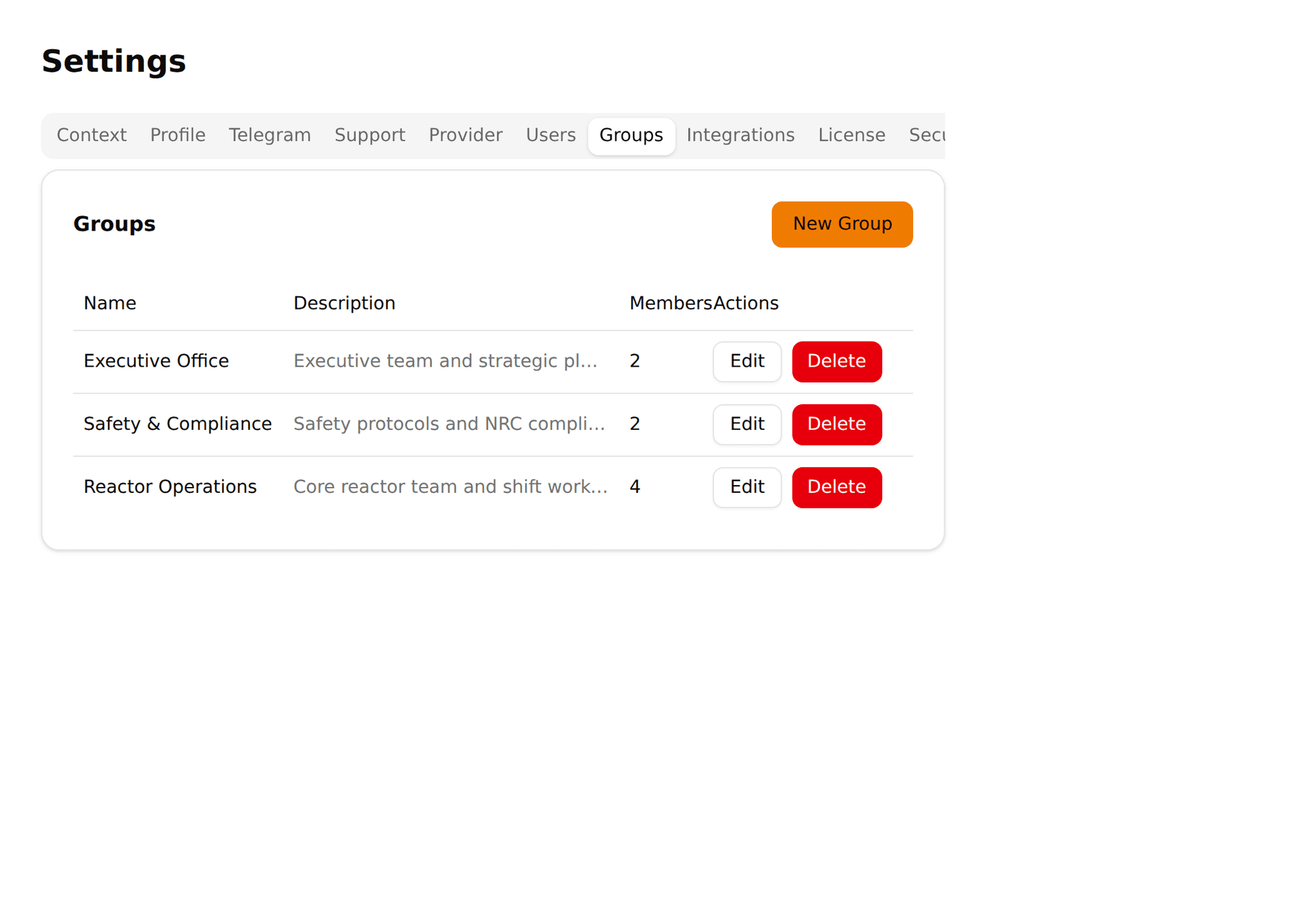
Go to Settings → Groups. Create groups that mirror your teams: Engineering, Marketing, HR, Finance, whatever fits.
Click a group, use the member picker to add users. A user can belong to multiple groups. Admins always have access to all agents regardless of group membership.
In each agent's settings → Access tab, choose a visibility mode. "Everyone" makes it available to all users. "Restricted" makes it available only to members of selected groups.
Every user can see and talk to this agent. Good for general-purpose agents like a company wiki or IT helpdesk.
Only members of selected groups can see this agent. It doesn't appear in other users' sidebars at all. They don't know it exists. Pick this with no groups selected and only admins see the agent — useful for agents still under development.
A 50-person company with four departments. Here's how groups map agent access:
| Group | Members | Agents they see |
|---|---|---|
| Engineering | 15 developers | DevOps Helper, Code Review, Company Wiki |
| Marketing | 8 people | Content Assistant, Analytics Agent, Company Wiki |
| HR | 4 people | HR Onboarding, Recruiting Agent, Company Wiki |
| Finance | 5 people | Accounting Agent, Reporting, Company Wiki |
| Admins (3) | CTO, COO, IT Lead | All agents (always) |
The marketing team can't see the HR Onboarding agent. Engineers can't see the Accounting Agent. Everyone sees the Company Wiki. Admins see everything.
Agent Permissions control what data an agent can access. Groups control who can talk to the agent. Together:
What can this agent do?
The HR agent can read /data/hr/ and /data/policies/. It cannot read /data/finance/ or execute shell commands.
Who can talk to this agent?
Only members of the HR group can see or interact with the HR agent. Marketing and Engineering don't even know it exists.
Neither layer alone is sufficient. Permissions without groups means anyone could ask the HR agent about employee data. Groups without permissions means a misconfigured agent could leak data it shouldn't access.
Groups require an enterprise license key. Without it, Pinchy works perfectly for small teams where everyone accesses every agent.
When you activate enterprise features, existing agents default to "Everyone" visibility — nothing breaks. You then progressively restrict access as needed.
If the enterprise key expires, Pinchy gracefully degrades: all agents become accessible to all users. Nothing locks out. Renew the key and your group restrictions are restored.
30-minute demo. We'll set up groups, assign agents, and show how data isolation works across teams.
FAQ
Groups let admins organize users into teams and control which agents each team can access. Instead of making every agent visible to everyone, you scope agent access to specific groups — so only the right people see the right agents.
Yes. Groups and agent access control require an enterprise license key. Without it, all agents are visible to all users. With it, you get granular control over who sees what.