Feature
Give each agent the documents it actually needs — and nothing else. Internal policies for the HR assistant. Product docs for the support drafter. Onboarding material for the customer guide.
The dream is obvious: give people a chat interface and let them ask useful questions about the information the organisation already has. Shared repositories, old conversations, investor context, CRM notes, policies.
The moment that gets real, the problem changes. Internal users should see one thing. External partners should see another. Some users should know that a file exists without being able to read it. "Please don't reveal confidential data" in a prompt is not a boundary — if the data is accessible, it leaks eventually.
Pinchy's knowledge base enforces the boundary before the model ever improvises. You mount your document folders once, then grant individual folders to individual agents. An agent can only search what it was granted, so it cannot leak what it was never given. One agent, one scope, one job.
Pre-Built Templates
Every serious document use case keeps coming back in customer calls. Pinchy ships them as agent templates — install one, point it at the right documents, give it to the right people. All six read only the folders you granted them: one searches the index and cites the page, the other five open whole documents.
The general-purpose document agent. Grant it your policies, guides and internal wikis — the agent searches them, cites the page it used, and says clearly when the answer isn't in there.
Reviews contracts and legal documents, extracts key clauses (termination, liability, indemnification, payment, renewal), flags unusual language, compares terms across agreements.
Screens applications against a role brief, ranks candidates, summarises qualifications. Cites the exact part of each CV it's drawing on.
Compares vendor proposals side-by-side. Scores against your requirements, highlights differences, pulls quoted language from each submission.
Checks documents against regulations or internal policy. Flags gaps, tracks which requirements are covered, cites the clause that made the call.
Walks new team members through internal docs, processes, and procedures. Install it once per audience so each one sees only the material that applies to it.
Templates are starting points — the tone, the instructions, the scope. Clone one, grant it a different set of folders, hand it to another group, and you have a second agent without rebuilding anything.
The document boundary runs through the agent. You mount your folders once as data directories, then grant specific folders to specific agents. That grant is the agent's entire reach — it holds for the indexed search and for opening a file directly, and nothing outside it is available either way. Who gets to talk to which agent is then the ordinary permission model you already configure for users and groups.
An agent reaches only the folders you granted it. The HR assistant and the support drafter don't share pools, because they were never given the same ones.
Two audiences, two agents, two folder scopes — and groups decide who sees which agent. That's how internal and external users end up with different answers from the same shelf of documents.
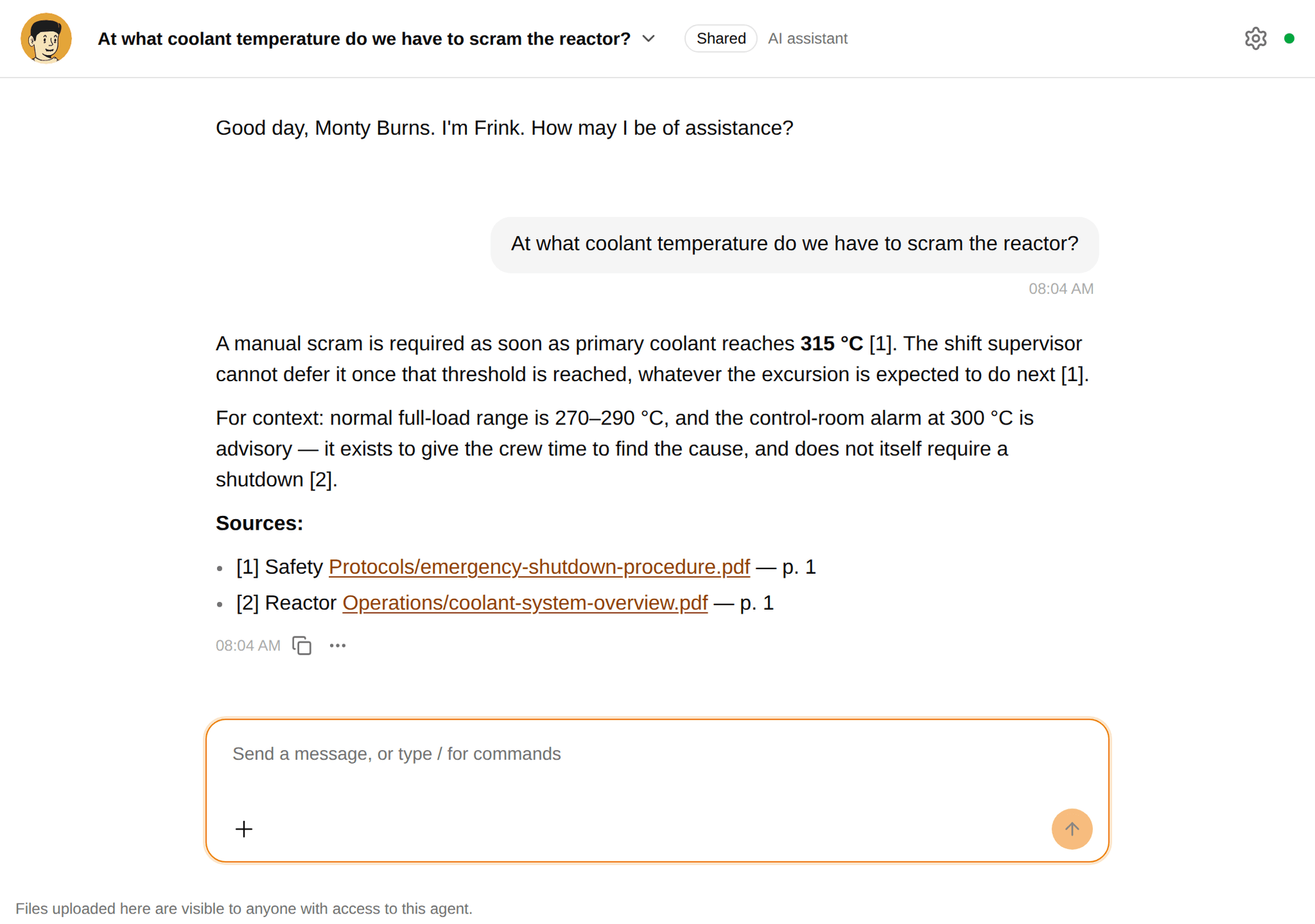
When an agent pulls from a document, the source is visible in the answer. No "the model told me so" — it's "page 3 of the onboarding guide said so".
Replace a document in the folder and re-index; every agent that was granted the folder answers from the new version. Policy rewrites don't need to touch the agent config.
Retrieval
An agent that retrieves the wrong three pages writes a confident, well-sourced, wrong answer. These are the four decisions behind what comes back.
Every question runs as a vector search and a full-text search over the same passages, and the two rankings are fused. Meaning-based search alone misses an exact part number; keyword search alone misses the question asked in different words. A passage that only one of the two found still scores.
Answers carry numbered citations and end with the document path and page for each one. Not "according to your documents" — the path you can open and the page you can check. If the passages don't contain the answer, the agent is instructed to say so rather than fill the gap.
Folders named OLD, Archive or Archiv are indexed but held back from normal search. This comes from a real case: an archived quality binder answering a certification question with certificates that expired in 2013. Year folders like 2013/ are never treated as archives — they're usually live structure.
At most three passages per document survive into the result list. Without that cap a 549-chunk compilation binder filled every slot and pushed the clean eight-page datasheet out of the results entirely — measured, then fixed. No single document can crowd the others out any more.
Learn More
FAQ
You mount your document folders into Pinchy as data directories, grant specific folders to specific agents, and run an index. Pinchy splits the documents into passages, embeds them, and stores them in its own PostgreSQL database. When an agent searches, it gets back numbered passages and cites them with the document path and page number. There is no upload step — the files stay in the folders you already keep them in.
The knowledge-base index reads text-based PDFs. That is deliberately narrow for a first version: a PDF has stable pages, so a citation can point at page 4 and you can check it. Scanned pages are not indexed — the reindex report counts them as unsearchable rather than pretending otherwise. The other five document templates skip the index and read whole files out of the same granted folders, and that route does read scans: it renders the page and sends it to the agent's model as an image. Word files, images and plain text go the same way. Spreadsheets are the gap on both routes — export an .xlsx to PDF or CSV before an agent needs it.
Yes, and that's the point. A support agent might be granted the product-docs folder but not finance. An internal Q&A agent might have HR policies but not customer contracts. The grant is enforced on the tools themselves, so an agent can neither search nor open a file in a folder it wasn't given — no matter how the question is phrased.
No. Pinchy is self-hosted. Your documents stay in your folders, and the passages and their embeddings live in your PostgreSQL database. The embedding itself runs on an Ollama endpoint in your own network — the index needs one even when the agent's chat model is a cloud one — so no passage and no vector reaches a hosted API or an external vector store. Point the chat model at that same local Ollama and the questions and answers stay inside your network too.
Self-host Pinchy yourself in minutes, or book a call to talk it through. Your choice.
Or email us: info@heypinchy.com